A good free budgeting app should help you track spending, organise bills, understand where money is going, and do it without ads, paywalls, or unclear data trade-offs.
This guide gives you a practical checklist for comparing free budget apps in 2026, with an Australian lens: AUD, bills, subscriptions, rent, mortgage payments, rego, insurance, super, and the way Australian households actually manage money.
PennyCount is one option. It is free, built for Australians, and includes guest mode so you can try the dashboard before creating an account.
Short Answer
The best free budget app for you is the one you will actually keep using. Look for three things first: clear spending categories, bill and subscription tracking, and a business model you understand.
If an app is free but pushes ads, hides useful features behind paid tiers, or does not fit Australian money habits, it may not solve the problem.
What A Free Budget App Should Do
A budget is not just a spreadsheet of expenses. It should help you see where your money goes, spot patterns, and avoid being surprised by bills. Moneysmart's budgeting guidance frames budgeting around listing income, listing expenses, comparing the two, setting goals, and reviewing as life changes.
For an Australian household, that usually means the app needs to handle:
- Weekly, fortnightly, and monthly income.
- Rent, mortgage, utilities, groceries, transport, health, and insurance.
- Annual costs like car rego, council rates, school fees, and memberships.
- Subscriptions that quietly renew.
- Irregular costs that do not fit neatly into a monthly budget.
- Exportable records if you want your own copy.
The Free Budget App Checklist
Use this checklist before trusting any money app with your budget.
| Check | Why it matters | What to look for |
|---|---|---|
| Actually free | Some apps are free only until you need the useful features. | No paid tier required for core budgeting. |
| Australian context | US-first apps often miss local money categories. | AUD, super, HECS, rego, council rates, ASX, offset accounts. |
| Budget categories | Categories make spending easier to review. | Housing, groceries, utilities, transport, health, dining, shopping, income. |
| Bills and subscriptions | Many budget surprises are renewal problems. | Due dates, billing cycles, annual costs, upcoming reminders. |
| Data stance | Free apps still need a business model. | Clear privacy language, no ads, no data selling. |
| Export options | Your money records should not be trapped. | CSV export or another portable format. |
| Guest mode | Trying before signup lowers friction. | A safe way to explore the app first. |
| Net worth view | Budgeting is easier when connected to the bigger picture. | Savings, super, investments, property, and debts in one place. |
Free Budget App Comparison Matrix
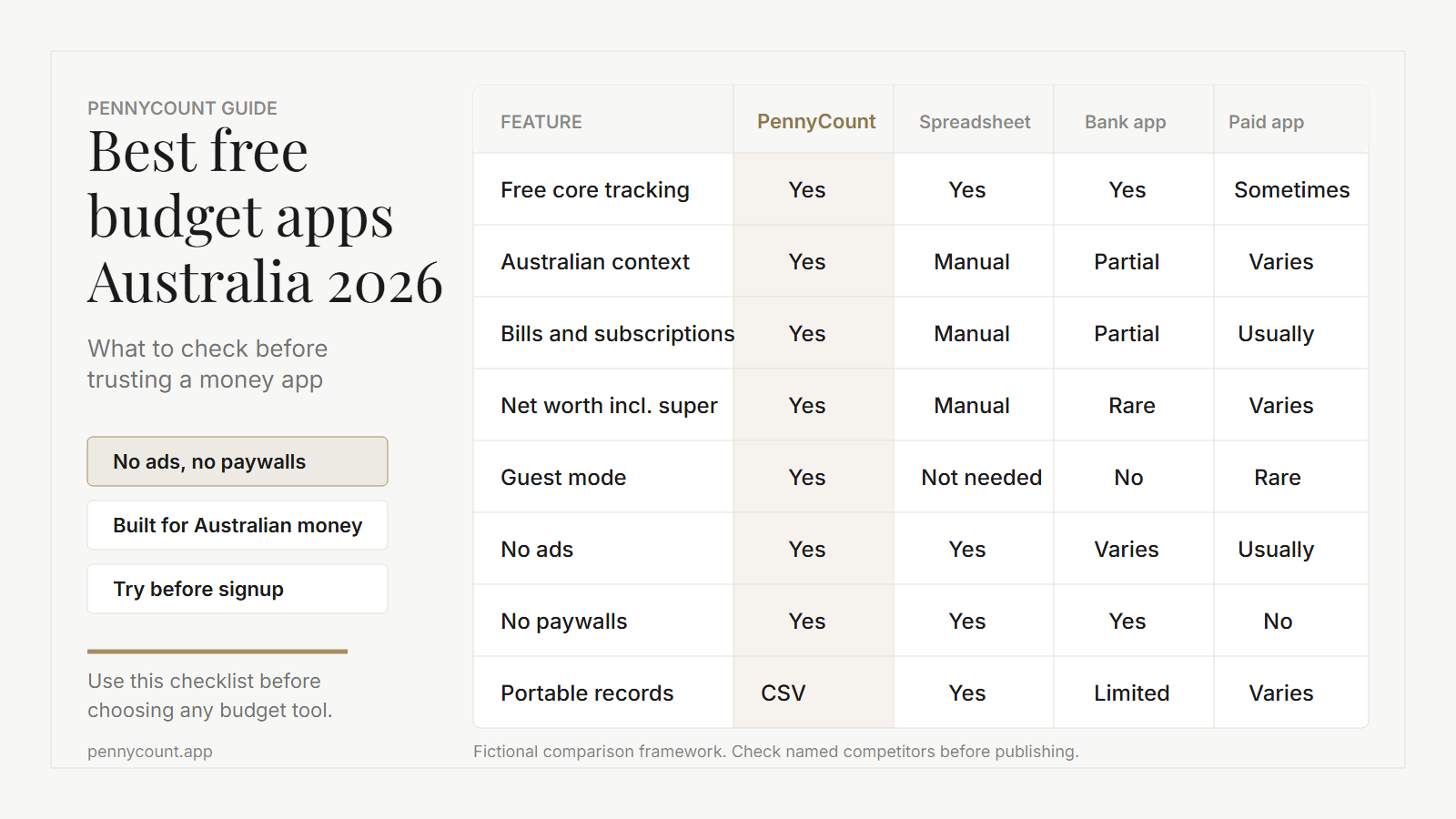
Use this as a practical comparison framework. Competitor labels should be checked manually before naming any specific app.
| Feature to compare | PennyCount | Spreadsheet | Bank app only | Paid budget app |
|---|---|---|---|---|
| Free core budget tracking | Yes | Yes | Yes | Sometimes |
| Built for Australian money | Yes | Manual | Partial | Varies |
| Bills and subscriptions | Yes | Manual | Partial | Usually |
| Net worth including super | Yes | Manual | Rare | Varies |
| Guest mode | Yes | Not needed | No | Rare |
| No ads | Yes | Yes | Varies | Usually |
| No paywalls | Yes | Yes | Yes | No |
| Portable records | CSV export | Yes | Limited | Varies |
How To Compare Apps Without Getting Distracted
The easiest mistake is choosing the app with the nicest screenshots. A clean interface matters, but the core question is whether the app changes your weekly behaviour.
Open the app and test five tasks:
- Add one income source.
- Add three expenses from the last week.
- Add one bill that renews soon.
- Check whether the app shows what changed.
- Export or copy the information somewhere else.
If that takes too long, the app will probably not survive real life. Budgeting tools need to be quick enough for a Sunday night review or a five-minute check after payday.
What "Free" Should Mean
Free should mean the core budgeting workflow is actually available without paying. That includes adding transactions, reviewing categories, checking bills, and keeping records you can export.
It is reasonable for software companies to have a business model. The problem is when the model is unclear. Before using any free money app, check whether it has ads, sells data, limits useful features, or makes it hard to leave.
Where PennyCount Fits
PennyCount is built around Australian personal finance categories. It includes budget tracking, bills and subscriptions, net worth tracking, IOUs, and credit card churning tools. The goal is to give you one place to understand your money without needing a subscription.
You can start in guest mode, add a few example numbers, and decide whether the workflow fits before creating an account.
Quick Budget Setup Checklist
- Add your main income source.
- Add rent, mortgage, utilities, transport, groceries, and insurance.
- Add one annual bill that usually catches you by surprise.
- Add active subscriptions.
- Review category totals after payday.
- Export records if you want your own backup.
Try PennyCount
Try PennyCount if you want a free budget app built for Australian money. Create an account or use guest mode from the sign-up panel, then start with one income source, a few recent expenses, and one upcoming bill.
Sign up or log in to try PennyCountReferences
- Moneysmart: How to do a budget - https://moneysmart.gov.au/budgeting/how-to-do-a-budget